
The Moment You Notice Something's Off
You pull into the driveway, hit the remote clipped to your visor, and nothing happens. Or you dig through a moving box, a beach bag, or your kid's backpack looking for the spare remote that was "right here last week." Maybe you just bought a house in Hope Ranch or Montecito and realized the previous owners still have working remotes to your garage. Any of these moments means it's time to reprogram your opener's codes, and it's a job most homeowners can do with a stepladder and ten minutes.
Tools You'll Need
- A stepladder tall enough to reach the opener motor unit on the ceiling
- Your opener's model number (usually on a sticker on the motor housing) or the owner's manual, often available as a free PDF from the manufacturer's site
- A fresh battery for the remote (CR2032 or 23A, depending on model) and for the keypad (usually a 9V or AA battery)
- A small Phillips screwdriver to open battery compartments
- Your phone's flashlight, since motor units are often tucked in dim corners of the garage
Step-by-Step: Reprogramming a Remote
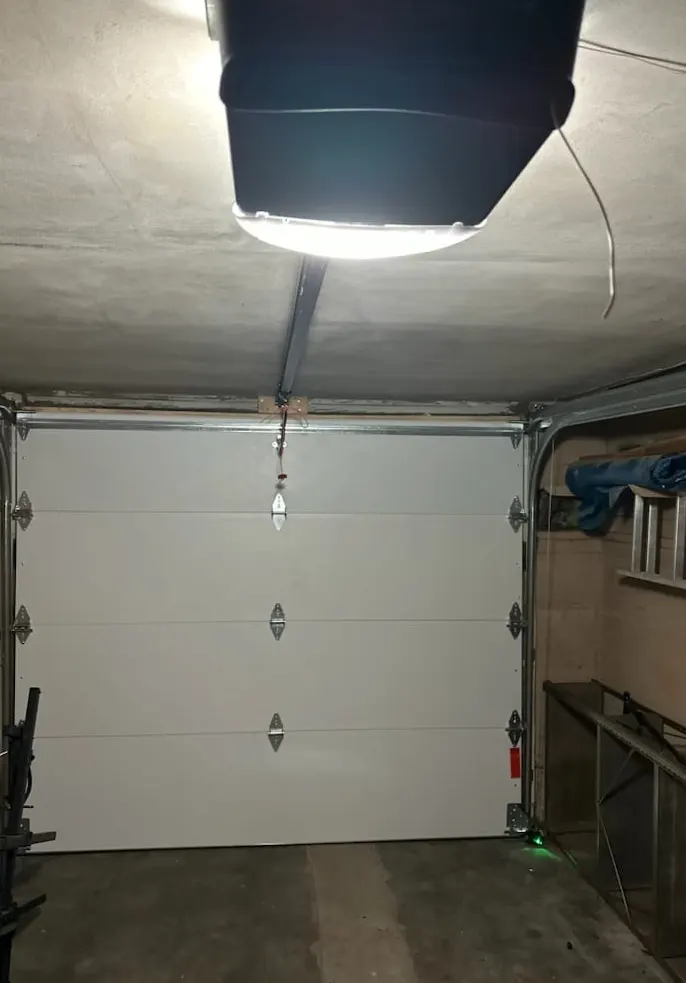
- Locate the "Learn" or "Smart" button on the motor unit. It's usually a small colored button (purple, orange, red, or yellow) near where the antenna wire hangs down.
- Press and release the Learn button. An indicator light near the button will start blinking, usually for about 30 seconds.
- While the light is blinking, press and hold the button on the remote you want to pair, until the opener's lights blink or you hear a click from the motor.
- Test the remote from inside the garage first, then from your driveway, to confirm the range is solid.
- Repeat for each remote you want to program. Most openers hold multiple codes at once.
If your opener doesn't have a visible Learn button, check the manual, some older or budget models require a dip-switch setting instead, which means matching tiny physical switches on the remote and the motor unit to the same pattern.
Step-by-Step: Changing Your Keypad Code
- Open the keypad's battery cover with the Phillips screwdriver and check the battery isn't corroded or dead; replace it if you're not sure of its age.
- Press the Learn button on the motor unit the same way as above.
- While the indicator light blinks, enter your new PIN on the keypad and press the Enter button (or hold it, depending on brand).
- Step back and test the new code before walking away, confirming the old code no longer works if you're trying to lock someone out.
What to Do If a Remote Goes Missing or Gets Stolen
A lost remote isn't just an inconvenience, it's a code to your garage floating around somewhere. Treat it like a lost house key:
- Go straight to the motor unit and look for an "erase all codes" or "clear memory" function, usually done by holding the Learn button for several seconds until the light flashes rapidly or turns off.
- Once cleared, reprogram every remote and vehicle-integrated button you still have, one at a time, using the steps above.
- Change your keypad code immediately, even if the keypad itself wasn't lost, since anyone who had the remote may also know the code.
- If the missing remote was a universal or aftermarket one bought separately from the opener, double check it's actually been wiped from memory; some cheaper models don't clear as cleanly as factory remotes.
Homeowner Job vs. Technician Job
You can confidently handle all of the above if your opener is working normally and you can find the Learn button. Where it stops being a DIY afternoon and starts being a call to a technician:
- The Learn button doesn't respond, blinks oddly, or the opener won't enter programming mode at all, often a sign of a failing circuit board.
- You have an older opener without rolling code technology (fixed-code systems from before the early 2000s), which are easy to clone with inexpensive scanners bought online. These should be replaced, not just reprogrammed.
- A new universal remote won't sync no matter how many times you try, which sometimes points to a weak receiver antenna rather than remote error.
- You bought a home and want certainty that every old code, including ones you don't know about, is wiped and the system rebuilt from scratch.
A Few Things Local Weather Does to Keypads and Remotes
Coastal salt air in spots like Summerland, Montecito, and the Santa Barbara waterfront corrodes keypad battery contacts and remote circuit boards faster than inland homes see. If your keypad buttons feel sticky or unresponsive, check the battery terminals for white or green corrosion before assuming the whole unit is dead. Heading into the rainy season, make sure keypad housings are fully seated and gasketed, since moisture working into the casing is a common cause of phantom button presses or a keypad that stops registering codes altogether. Dust from dry summer stretches and wildfire smoke can also settle into keypad buttons; a quick wipe-down each fall keeps contacts making a clean connection.
When to Call Santa Barbara Garage Door Service
If your Learn button isn't lighting up, your opener is old enough that you're not sure it even has rolling code security, or you just want a professional to clear every code and rebuild your remote and keypad system from zero, that's exactly what our Garage Door Opener Repair & Installation service covers. We'll check the motor unit's receiver, replace it if it's failing, and get every remote and keypad in the household properly synced. If it's been a while since anyone looked at the whole system, pairing that with a Garage Door Maintenance visit catches corrosion, worn contacts, and other small issues before they turn into a opener that won't respond at all.
If your remotes or keypad aren't cooperating, give Santa Barbara Garage Door Service a call. We serve Santa Barbara, Goleta, Montecito, Carpinteria, Summerland, Isla Vista, Hope Ranch, and Ventura, and we're happy to get your garage door's access back under your control.